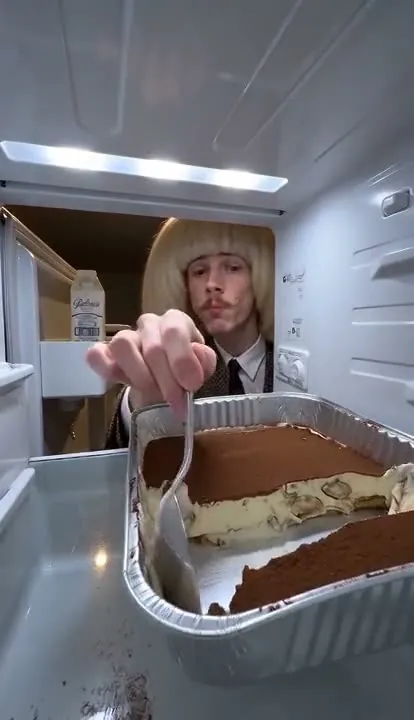
Solo snacker
Watch the solo fridge POV reference: one snacker returns for tiramisu until the fridge camera catches the final guilty look.
REFERENCE EXAMPLE · Cat fridge POV
Watch the cat fridge POV reference, prepare one pet photo and recreate the midnight tiramisu scene with your cat or dog.
This existing reference is separate from your personalized AI result. Choosing a scene prepares the main tool; it does not upload a photo or start a paid request.
About 10 seconds · portrait framing · Standard 480p or HD 720p for personalized generation.
The cat version uses the same camera-inside-the-fridge joke as the human scene. A pet appears behind the tiramisu tray, comes back for another taste and ends up caught by the fridge camera. The oversized spoon and guilty pause make the pet version work without a spoken punchline.
Use one photo of your cat or dog with the face or muzzle easy to recognize. Keep distinctive fur markings and the upper body visible when possible. Front-facing, even light is more useful than a distant animal in a dark room. Avoid a covered muzzle, heavy blur or several animals competing for attention in one image. These are preparation tips, not automatic face-detection checks.
Upload only your pet reference. The refrigerator, tiramisu tray, viewpoint and sequence come from the selected source scene. A second photo is not a cake slot: it belongs to the second character in the two-snacker scene. Leave it empty for this pet version.
The existing reference is free to watch. To personalize it, select the pet scene in the main tool, add your photo, choose Standard (480p, 30 credits) or HD (720p, 100 credits), and confirm permission and AI processing consent. Purchased credits provide access; an invited preview code is optional for invited testers.
AI can change the fur pattern, muzzle, paws, spoon or contact with the food. Review both visits and the final look into the camera before sharing. The edit follows the roughly ten-second portrait source, but the exact timing, identity and soundtrack can vary. Download the actual completed result from My videos within seven days; the reference on this page is never substituted for your output.
It is an AI edit of a scene viewed from inside a refrigerator, with a pet taking the place of the midnight snacker. One reference photo guides the pet's appearance. The tiramisu, repeated visits and guilty final look come from the source scene; this page shows that existing reference, not a result made from your upload.
Yes. The pet scene accepts a clear cat or dog reference. Use one animal per photo, with its face or muzzle visible. The displayed example is a cat; a dog result can differ in anatomy, markings and motion. You do not need to photograph a real pet eating dessert.
No. Add one pet photo. The source scene supplies the dessert, kitchen and fridge-camera angle. A second photo is for the two-snacker scene, not for adding food to a pet video.
The reference demo is free. Personalized generation uses 30 credits for Standard (480p) or 100 for HD (720p), the same quality-based cost as the other scenes. Credit packs are one-time USD purchases with no automatic renewal. A definitively failed generation returns its reserved credits; an uncertain request stays on hold while it is checked.
No exact match is guaranteed. The example is an existing third-party reference, not proof of your photo's output. AI may change likeness, fur, paws, spoon movement and scene continuity. Review the completed video before sharing, and label it as AI when appropriate for your posting platform.
Watch the solo fridge POV reference: one snacker returns for tiramisu until the fridge camera catches the final guilty look.
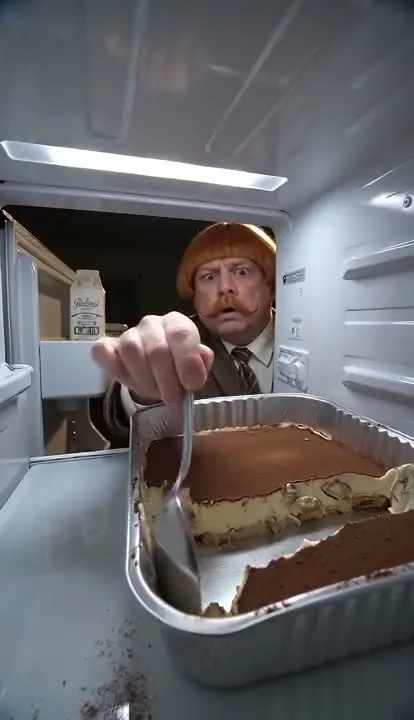
Two people, one suspiciously empty tiramisu tray. Watch the duo reference and prepare a separate photo for each character.
Read the photo preparation guide · Understand the trend · Refund policy
Allow anonymous page and button counts on our own server. No photos, personal details or tracking cookies. Details